At Cornersoft Solutions, a significant portion of our work over the last few years has focused on custom video pipelines using AMD/Xilinx designs.
When dealing with video, one of the first recommendations we make to customers is to utilize the AMD/Xilinx Video Test Pattern Generator (TPG). We always recommend building complex video designs iteratively—especially on flexible FPGA hardware. This allows the engineers to properly validate each component in the pipeline until the system is finally built up to the more complex end application.
Why Start with the TPG?
The TPG provides a “known good” baseline of a working streaming video source. It helps you separate hardware issues from software configuration issues.
Additionally, this component is very well supported on the software side in both the Linux (V4L2) and bare metal (Vitis) environments by AMD/Xilinx. This is one less software component that the embedded software engineer needs to focus on when bringing up a new design.
Moreover, the TPG features a “Pass Through” input, allowing you to place another video streaming source on the front end if desired. This offers the best of both worlds: even if your design has a custom video source working in hardware, you can still use the TPG to generate known patterns to get the software side of the pipeline running first.
The “Missing” Visual Guide
While the goal of this post isn’t to extensively examine custom video pipelines, we wanted to provide a visual reference for the patterns themselves.
The AMD/Xilinx TPG Product Guide (PG103) lists the available patterns, but it can be difficult to find examples of what these patterns should actually look like. Standard color bars are easy to recognize, but what about a “Zone Plate” or “Temporal Ramp”? The documentation doesn’t currently publish captures of these outputs.
Recently, while working on a design involving the TPG, I took the opportunity to dump live captures of each pattern. Below is a visual guide to the Background Pattern ID (0x0020) Register to help you verify your own video pipelines.
Background Pattern ID (0x0020) Register
The Background Pattern ID register controls the majority of the pattern manipulations that the TPG core produces. Below are the values and the corresponding visual output we captured.
Important Note: While the images below represent standard captures, please be aware that several patterns (particularly the Zone Plate and Temporal Ramp) are heavily dependent on specific configuration parameters, such as resolution, motion speed, and delta registers. Your actual output may vary visually depending on how these registers are configured.
> Note: Pattern 0x00 is “Pass Through,” which simply displays the video input straight through the video output. Since this depends entirely on your input source, it is not pictured below.
0x1 – Horizontal Ramp
Increases each component (RGB or Y) horizontally by 1.

0x2 – Vertical Ramp
Increases each component (RGB or Y) vertically by 1.
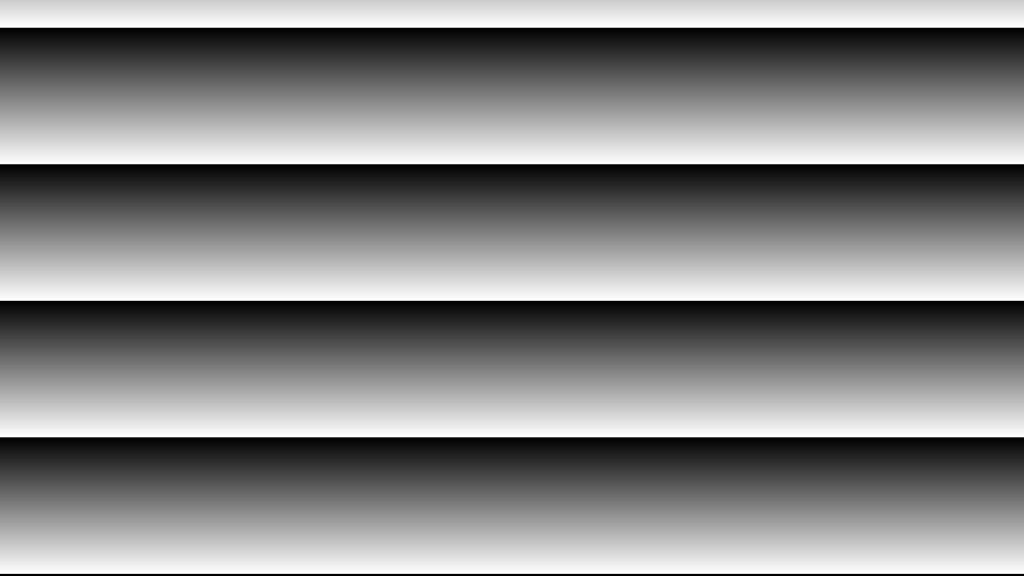
0x3 – Temporal Ramp
Increases every pixel by a value set in the motion speed register for every frame.

0x4 through 0x8 – Solid Colors
Simple solid fills useful for checking dead pixels or color channel connectivity.
0x4 – Solid Red

0x5 – Solid Green

0x6 – Solid Blue

0x7 – Solid Black

0x8 – Solid White

0x9 – Color Bars
The standard reference pattern for checking color accuracy and ordering.

0xA – Zone Plate
Produces a ROM-based sinusoidal pattern.
> Note: This option has dependencies on the motion speed, zplate horizontal starting point, zplate horizontal delta, zplate vertical starting point, and zplate vertical delta registers.

0xB – Tartan Color Bars
A variation of standard color bars with a specific plaid-like arrangement.
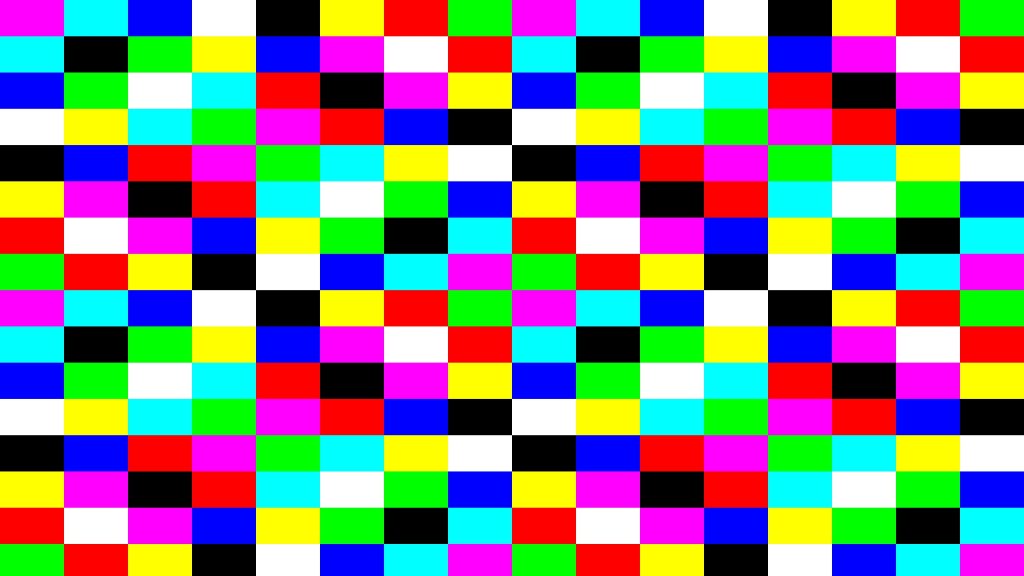
0xC – Cross Hatch
Draws a cross-hatch grid, useful for checking geometry and scaling artifacts.
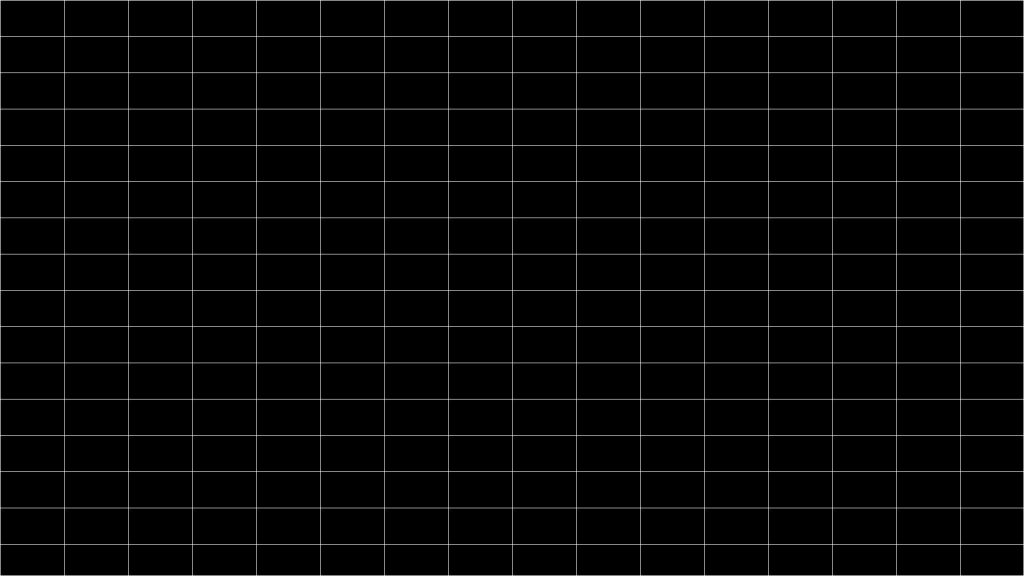
0xD – Color Sweep

0xE – Combined Vertical and Horizontal Ramp

0xF – Black and White Checker Board
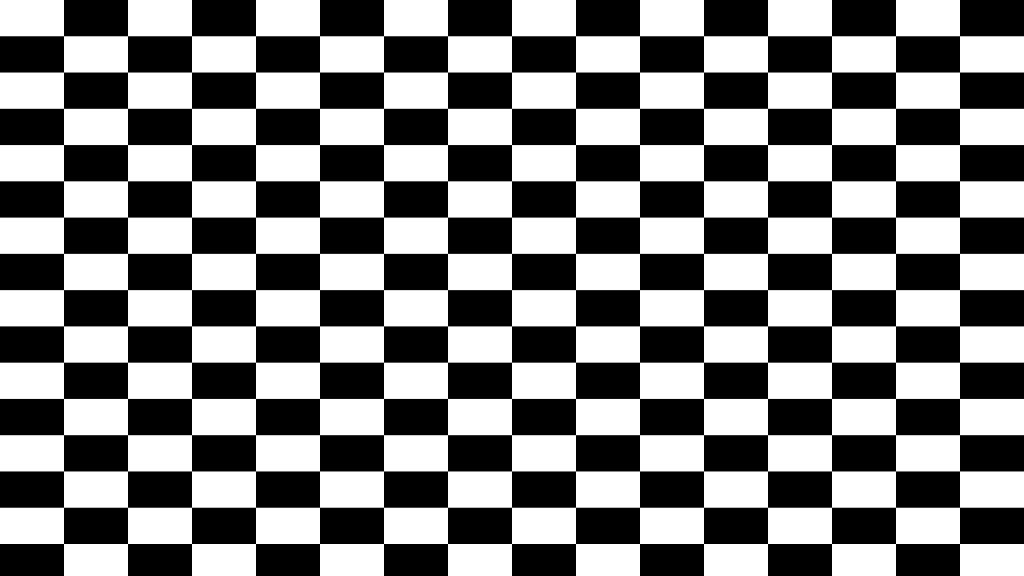
0x10 – Pseudorandom Pattern
Generates noise/random pixel data.

0x11 – DisplayPort Color Ramp
We still need to capture this, stay tuned…
0x12 – DisplayPort Black and White Vertical Lines
We still need to capture this, stay tuned…
0x13 – DisplayPort Color Square
We still need to capture this, stay tuned…
Summary
We hope you find this visual reference helpful when debugging your next video pipeline. Having a reference for what “correct” looks like can save hours of debugging time when bringing up new hardware.
We plan to publish more content on the TPG and Embedded Linux video design in the future. In the meantime, if you have additional questions or need support with your embedded video projects, please feel free to reach out to us at info@cornersoftsolutions.com or use the contact form on our website.